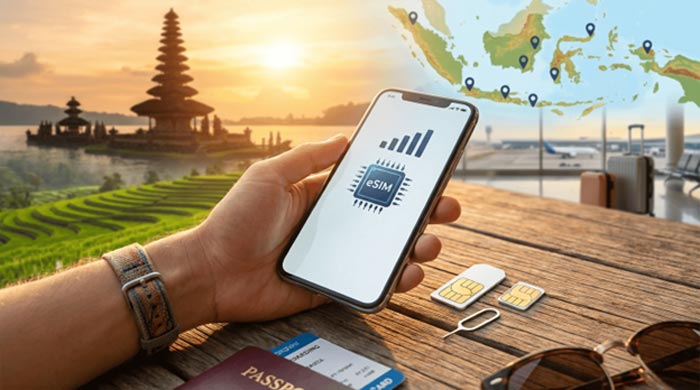
Indonesia, with its sprawling archipelago of over 17,000 islands, offers everything from the vibrant nightlife of Seminyak and the spiritual heart of Ubud in Bali to the volcanic landscapes of Java and the pristine waters of Raja Ampat. For the modern traveler, staying connected is no longer a luxury—it is a necessity. Whether you need to navigate via Google Maps, book a Gojek or Grab, or share your sunset photos on Instagram, having a reliable data connection is essential.
In recent years, the transition from physical SIM cards to eSIM technology has revolutionized how tourists stay connected. This guide provides a comprehensive look at how to secure a local eSIM for your travels in Indonesia and Bali, ensuring you have the best coverage at the most affordable prices.
Understanding the eSIM Advantage
An eSIM (embedded SIM) is a digital version of the traditional physical SIM card. It is built into your smartphone and allows you to activate a cellular plan without having to insert a physical chip. For travelers to Indonesia, the benefits are numerous:
1. Convenience: You can purchase and install your data plan before you even land at Ngurah Rai International Airport (DPS).
2. Dual SIM Functionality: Keep your home SIM active for important calls or 2FA (Two-Factor Authentication) texts while using local Indonesian data for everything else.
3. No More Tiny Tools: You won’t need to hunt for a paperclip or SIM ejector tool while sitting in a crowded airport terminal.
4. Instant Connectivity: The moment your plane touches down and you disable airplane mode, your local data can be ready to go.
Is Your Device Compatible?
Before planning your eSIM purchase, you must ensure your device supports the technology. Generally, most flagship phones released after 2019 are eSIM compatible. This includes:
iPhone: iPhone XS, XS Max, XR, and all subsequent models (11, 12, 13, 14, 15, 16).
Samsung: Galaxy S20 series and newer, Z Fold, and Z Flip models.
Google Pixel: Pixel 3 and newer.
Other Brands: Various models from Huawei, Oppo, and Xiaomi.
Additionally, your phone must be carrier-unlocked. If you are on a contract back home, check with your provider to ensure they haven't locked your device to their network.
The Legal Requirement: IMEI Registration
Indonesia has strict regulations regarding mobile devices brought from abroad. To prevent the black market sale of phones, the government requires all foreign IMEI numbers to be registered if they are to be used with a local SIM card for more than 90 days.
However, for most tourists staying less than 3 months, there is a "Tourist SIM" exception. When you buy a dedicated tourist eSIM, the provider usually handles the temporary registration for you. If you plan on staying longer or using a standard local prepaid plan, you may need to register your IMEI at the customs office upon arrival or at a major service center (Grapari).
Top Network Providers in Indonesia
When choosing an eSIM, the provider matters. Indonesia has three major players:
1. Telkomsel
Telkomsel is the state-owned giant and the undisputed king of coverage. If your itinerary includes remote areas like Komodo National Park, Mount Bromo, or the Gili Islands, Telkomsel is your best bet. Their "Telkomsel PraBayar" (Prepaid) plans are very popular with tourists.
2. XL Axiata
XL is a strong competitor, particularly in Bali and major cities in Java. They often offer very competitive pricing and high-speed 4G/5G data. It is a great choice for digital nomads staying in hubs like Canggu or Uluwatu.
3. Indosat Ooredoo Hutchison
Indosat offers excellent value for money. While their coverage in very remote areas might lag slightly behind Telkomsel, their speeds in urban areas are excellent, and they often provide generous data quotas for social media apps.
How to Purchase Your eSIM
There are three primary ways to get your hands on an Indonesian eSIM:
Option A: Pre-arrival via International eSIM Apps
Apps like Airalo or Holafly offer Indonesian plans. While extremely convenient, these are often "roaming" eSIMs. This means your data might be routed through a server in Singapore or Europe, which can lead to higher latency (lag) and significantly higher prices compared to local rates.
Option B: Official Provider Websites
You can visit the official websites of Telkomsel or XL Axiata. They have dedicated tourist sections where you can pre-order an eSIM. You will typically need to upload a photo of your passport and your phone's IMEI number.
Option C: Local Specialized Providers (Recommended)
Specialized local providers often offer the best of both worlds: the low prices of a local SIM with the English-language support and ease of use that international travelers need. These providers understand the specific needs of Bali tourists and often have booths for easy troubleshooting or physical SIM backups.
Step-by-Step Activation Guide
Once you have chosen your provider and purchased your plan, the activation process usually follows these steps:
1. Receive the QR Code: The provider will email you a QR code.
2. Connect to Wi-Fi: You must have an active internet connection (use the airport Wi-Fi or your hotel's) to download the eSIM profile.
3. Scan the Code: Go to your phone's Settings > Cellular/Mobile Data > Add eSIM (or Add Data Plan). Scan the QR code provided.
4. Label Your Plans: Label your primary SIM as "Home" and the new one as "Indonesia."
5. Set Data Source: Ensure "Cellular Data" is set to your Indonesian eSIM.
6. Enable Data Roaming: For many eSIMs to work, you must toggle "Data Roaming" to ON for the local eSIM profile (don't worry, you won't be charged by your home carrier as long as their roaming is off).
Tips for Saving Data and Staying Connected
Use Offline Maps: Download Bali or Jakarta on Google Maps while on Wi-Fi to save data while navigating.
WhatsApp is King: Almost every business in Indonesia, from high-end villas to local "Warungs," communicates via WhatsApp. Make sure your account is set up before you arrive.
Top-Up via Apps: If you run out of data, you can easily top up using apps like "MyTelkomsel" or local fintech apps like GoPay and OVO, which are widely used across the country.
Beware of "Dead Zones": While Bali has great coverage, the limestone cliffs of Uluwatu or the deep jungles of North Bali can sometimes interfere with signals. If you lose connection, try moving to a higher vantage point.
Staying Safe Online
While using your local eSIM is much safer than connecting to unsecured public Wi-Fi in cafes, it is still a good practice to use a VPN (Virtual Private Network) if you are accessing sensitive information like mobile banking. Indonesia has some internet censorship (certain sites may be blocked), and a VPN can help you bypass these restrictions while keeping your data encrypted.
Conclusion
Navigating the beautiful landscapes of Indonesia is an experience of a lifetime, and having a local eSIM makes that journey smoother, safer, and more connected. By choosing a local provider, you ensure that you are getting the best possible speeds and coverage while supporting the local economy. Whether you are trekking through the rice terraces of Tegallalang or diving in the crystal-clear waters of the Gili Islands, your eSIM will be your most valuable travel companion.
For travelers looking for a seamless experience, balisim.com stands out as one of the best value companies providing both tourist eSIMs and physical SIM cards. They specialize in catering to the needs of visitors to Bali and wider Indonesia, offering competitive pricing, easy online ordering, and reliable customer support. Whether you prefer the digital ease of an eSIM or the traditional reliability of a physical SIM card, they provide a range of data-heavy plans that ensure you stay connected from the moment you arrive until your final departure.
This article is a guide for travelers and should be used in conjunction with the latest official government regulations regarding IMEI and telecommunications in Indonesia.